Onsite WiFi Survey
A temporary access point should mirror the planned installation
The purpose of APoS is to test a proposed deployment before final installation. The temporary AP therefore needs a deliberate height, direction, and orientation rather than an improvised position on a stand.
Start from the real deployment
Use the intended AP model, antenna direction, target height, and mounting condition as the starting point for the temporary setup.
Adjust without rebuilding support
A frame mounted on a tripod lets the onsite engineer change the angle or direction at the test point while keeping the same basic support.
Record a repeatable position
Document the height, orientation, photo, and test location so the measured result can be traced back to the proposed installation.
Real Field Setup
A stable frame turns a temporary AP into a repeatable test position
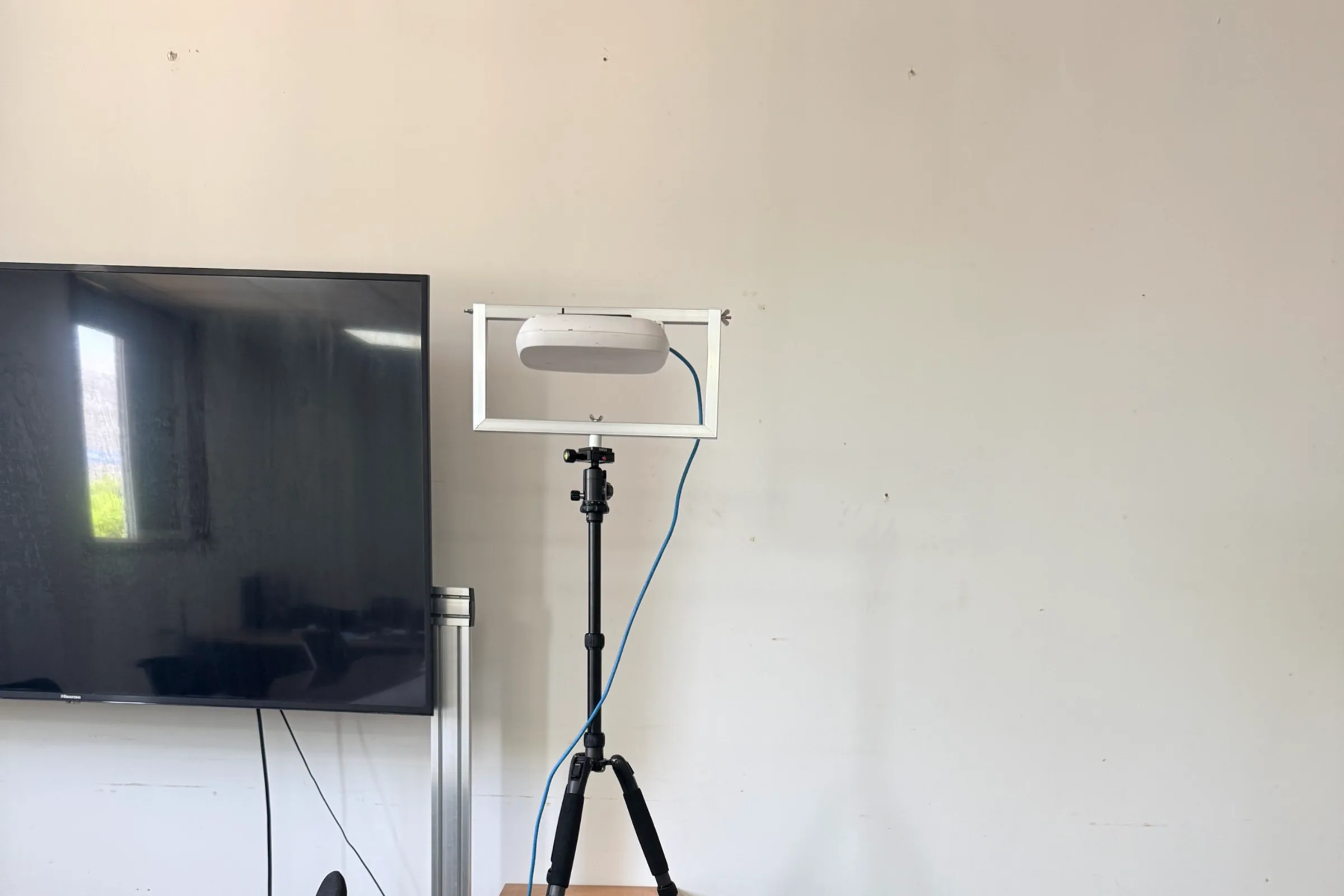
The close-up field photo shows an access point held inside an adjustable rectangular frame above a tripod head. This arrangement provides a defined reference for direction and height while the engineer collects the agreed survey data.
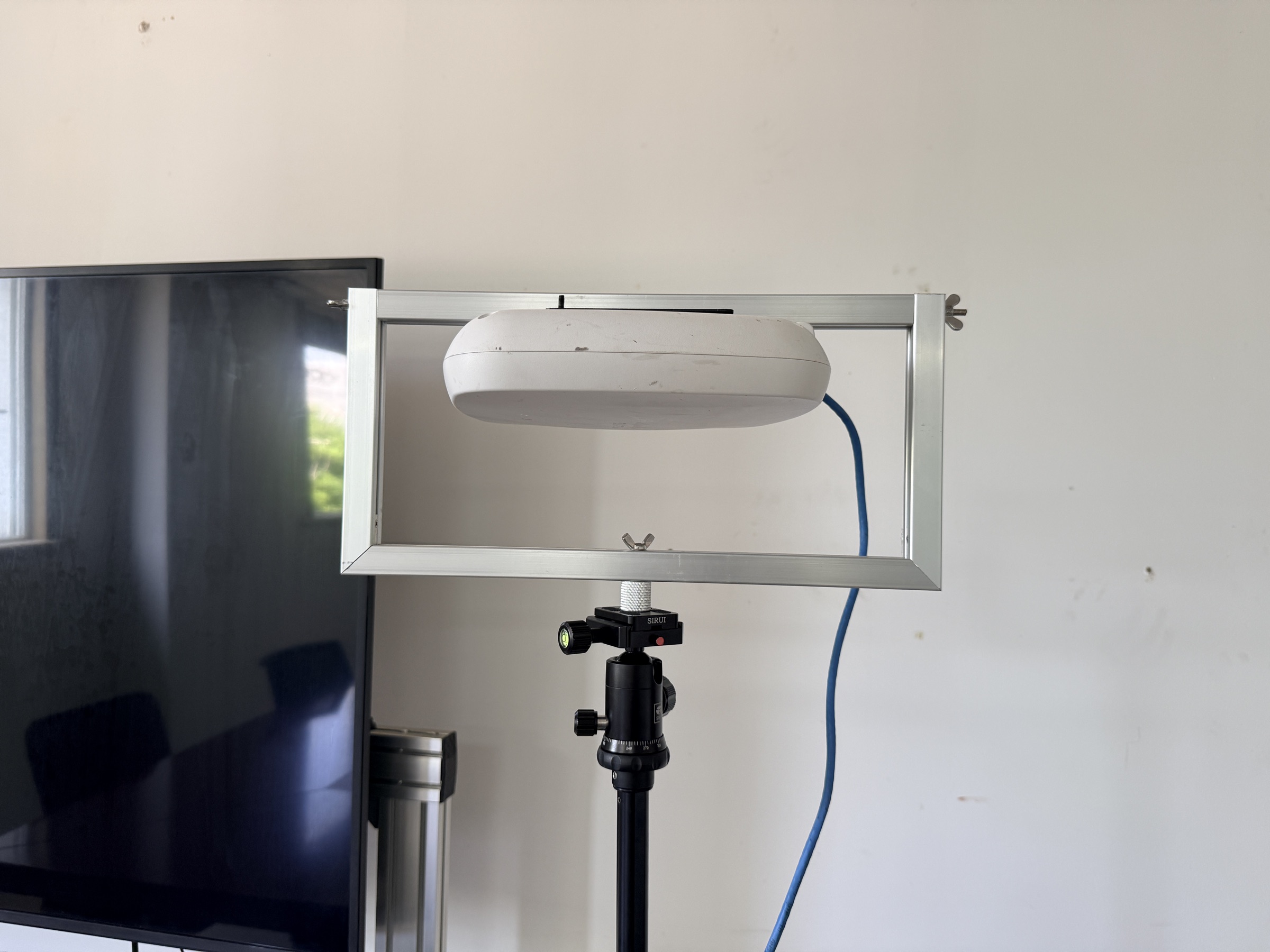
The mount is a positioning aid, not a WiFi measurement instrument. Its value is that the temporary AP can be held in a known orientation while the engineer walks the survey route, captures readings, and records photos.
The same principle applies when the survey moves between rooms or proposed AP locations. Keeping the support method consistent makes it easier to compare results and explain why a location should be accepted, adjusted, or retested.
Positioning Modes
Choose the angle that matches the coverage question
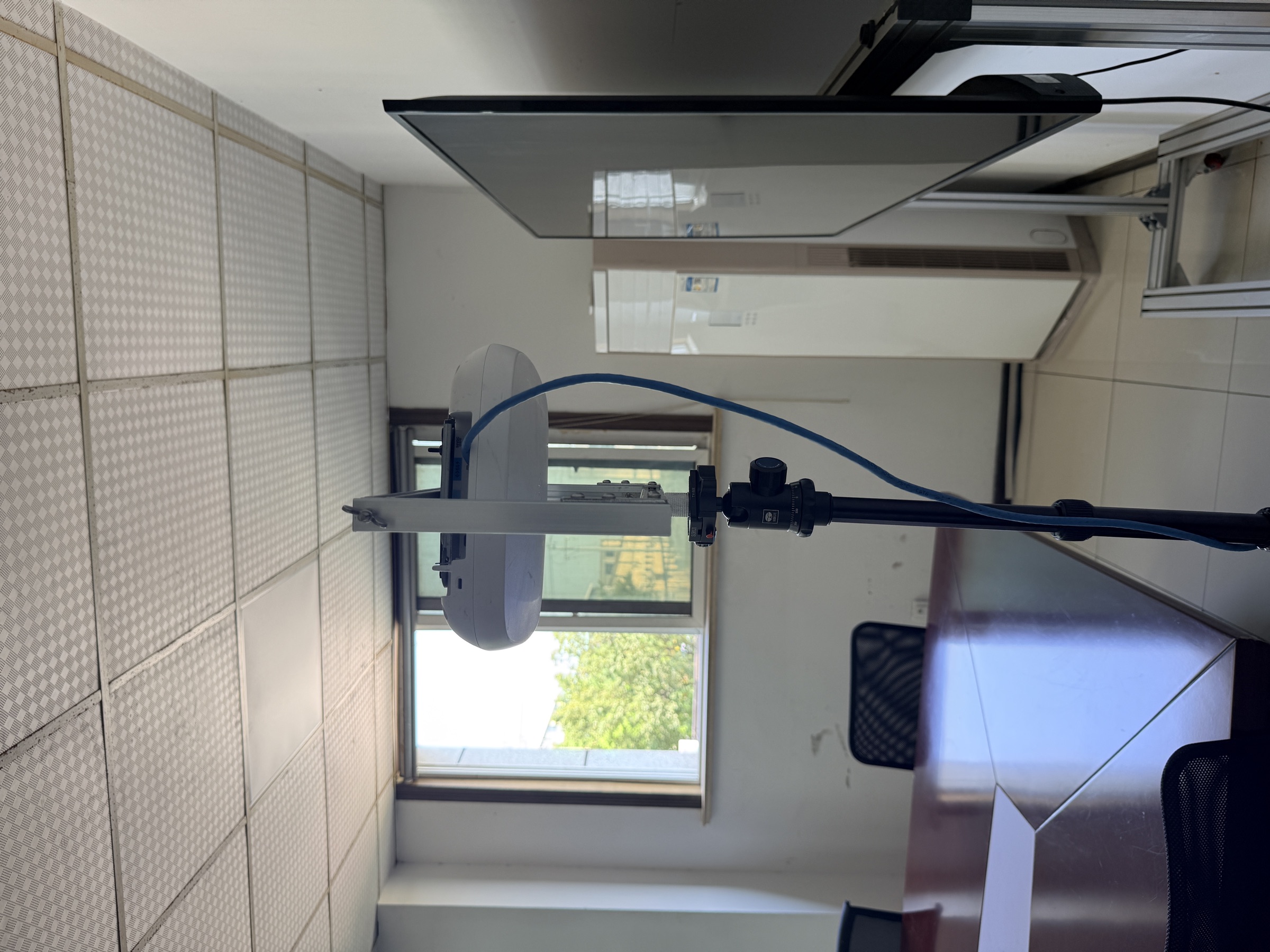
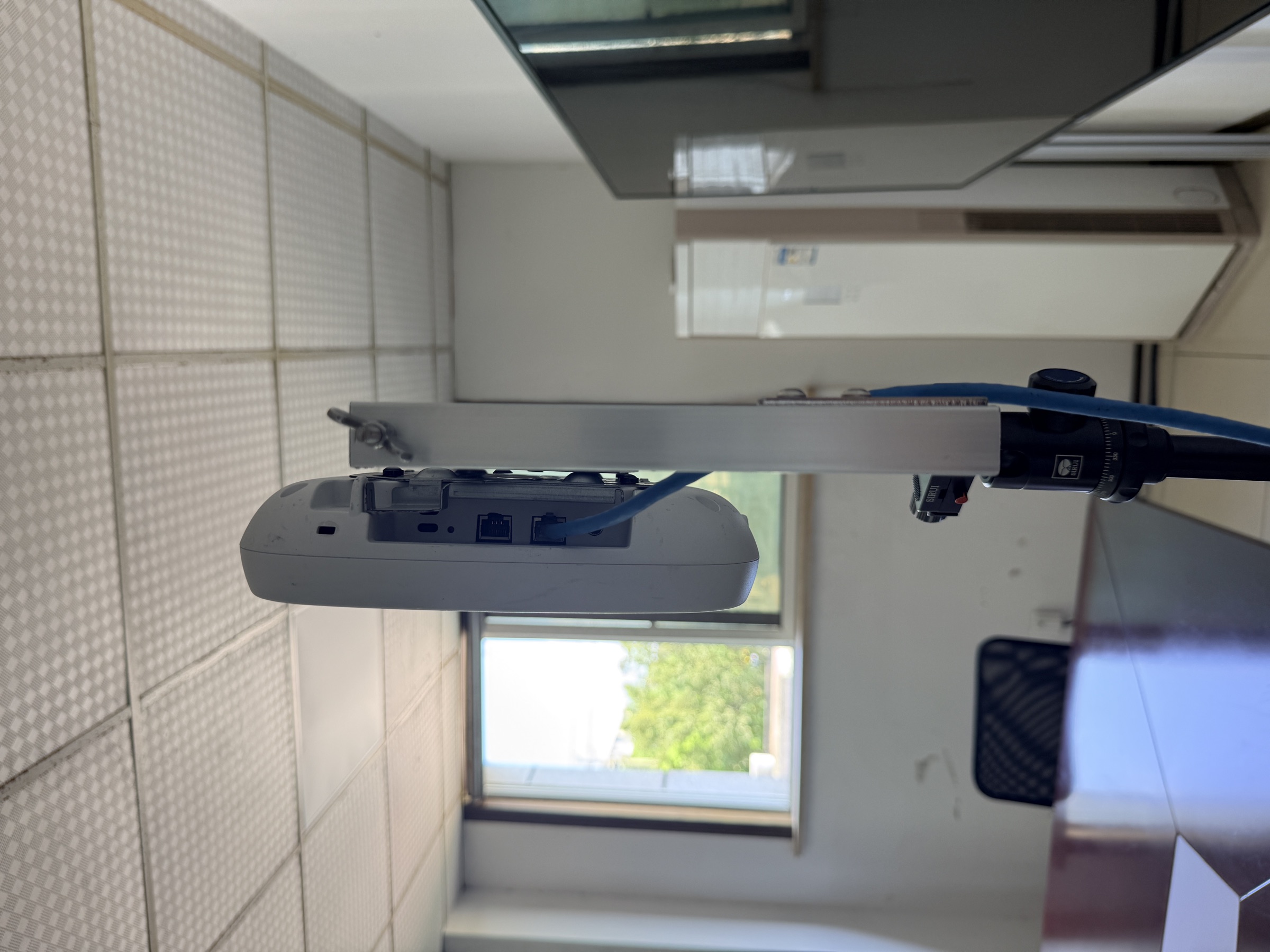
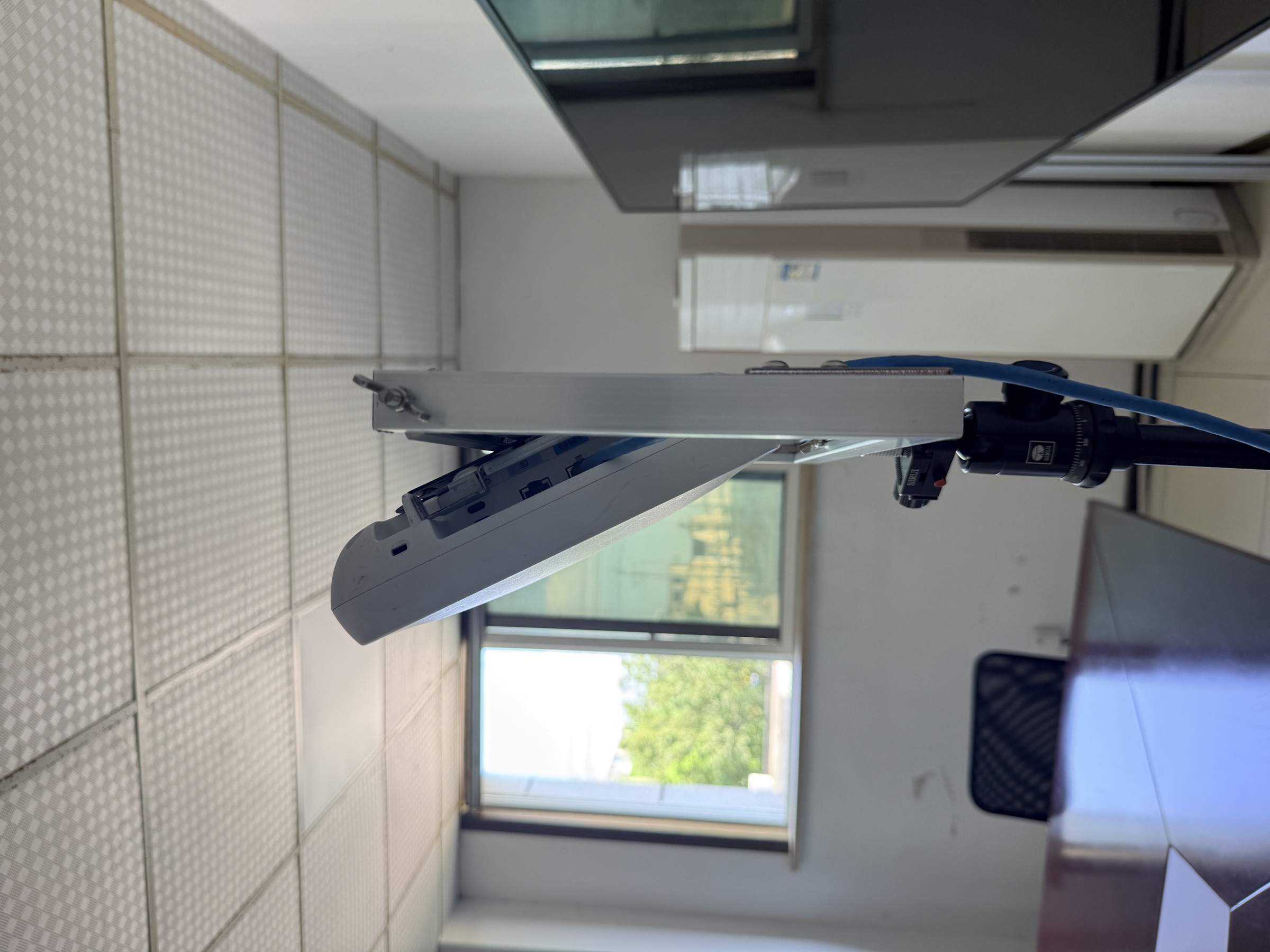
The supplied field photos show the access point being tested in more than one orientation. Select the position that best represents the planned installation and the coverage condition under review.
Horizontal
Use a horizontal position when the survey needs to approximate a ceiling-style or down-facing deployment condition.
Vertical
Use a vertical position when the AP is expected to face across a room, along a corridor, or toward a lateral coverage area.
Tilted
Use a controlled tilt when the proposed mounting point, room geometry, or coverage direction calls for an angled test position.
Field Reference
One support method, several real-world positions
These onsite photos show the adjustable frame, tripod support, and access point in the positions used for a practical wireless survey setup.
Survey Method
What the adjustable mount contributes to an APoS survey
The mount improves physical repeatability. The survey method, measurements, and final engineering judgement still determine whether a proposed location is suitable.
A temporary AP should be treated as a model of the planned installation. If the final AP will be horizontal, vertical, or angled, testing in a materially different position can make the result harder to interpret. The adjustable frame helps the onsite team reproduce the intended direction while working through the floorplan.
The mount does not measure signal quality, capacity, roaming, interference, or application performance by itself. Those findings come from the agreed survey equipment, test plan, and acceptance criteria. The support simply makes the physical test position easier to hold, move, and document.
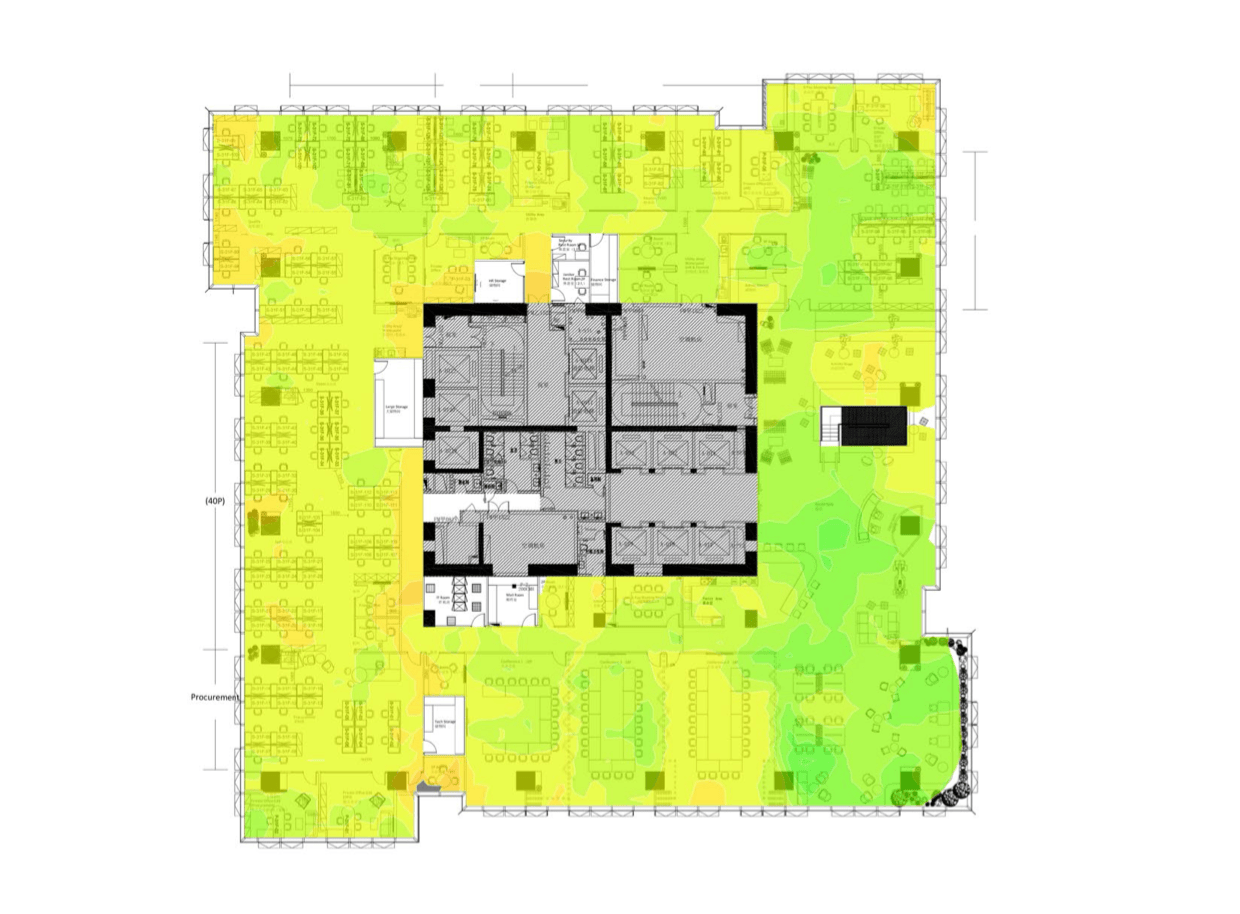
For every test point, record the proposed location, height, orientation, photograph, survey readings, and any obstruction or access limitation. This creates a clear line from the temporary setup to the final heatmap, AP table, recommendation, and retest plan.
Before the Visit
Prepare the APoS setup before arriving onsite
A short pre-visit check prevents the team from measuring the wrong AP orientation or discovering missing access and safety requirements at the site.
- AP model, antenna pattern, and intended mounting orientation
- Floorplans, proposed AP locations, and coverage priorities
- Target height and whether the location requires horizontal, vertical, or tilted validation
- Tripod, frame, power, network cable, and survey equipment requirements
- Site access, ceiling restrictions, walkways, and local contact
- Required photos, heatmaps, AP table, readings, and retest records
- A safe method for securing the tripod and routing the temporary cable
Recommended APoS Workflow
From proposed position to implementation-ready findings
Define the test position
Confirm the intended AP orientation, target height, coverage zones, and decision the survey needs to support.
Build the temporary setup
Secure the AP in the frame, balance the tripod, align the direction, and keep the equipment clear of walkways.
Measure and compare
Capture the agreed WiFi data at each proposed location and compare the result with coverage, capacity, and application requirements.
Document and hand over
Connect each result to its position, orientation, height, photo, finding, remediation priority, and retest recommendation.
Where It Helps
Useful when the final mounting condition is not available yet
An adjustable APoS setup is especially useful when a site is still being planned, the ceiling or wall work is not complete, or the team needs to validate a temporary test area before committing to final installation.
Meeting rooms and offices
Compare ceiling-like and side-facing positions around rooms, work areas, and collaboration spaces before the permanent AP locations are fixed.
Factories and operational areas
Test coverage direction around equipment, racks, partitions, and access constraints while keeping the temporary setup visible and documented.
Temporary test sites
Move a controlled AP position between test points when a project needs evidence before construction, relocation, or a wider rollout.
FAQ
Common questions
Is an adjustable AP mount a replacement for an APoS survey?
No. It is a physical setup aid that helps position a temporary AP consistently. The survey still requires a defined method, RF measurements, findings, and a report that supports the deployment decision.
How should the installation mode be selected?
Choose the position that best represents the intended deployment: horizontal for a ceiling-like condition, vertical for a side-facing condition, or tilted when the proposed location or coverage direction requires an angle.
Can the same setup be moved between rooms or test points?
Yes, provided the tripod, frame, AP, cable routing, and safety conditions are checked at each location. Record the new height and orientation so results from different points remain comparable.
Do we need to purchase APoS equipment for a China survey?
Not necessarily. A managed APoS survey can be scoped with the required field equipment and onsite setup, so the project does not automatically require a one-off equipment purchase.